WhatsApp Chatbot Development on the Official Business API
Our WhatsApp chatbot development delivers AI bots that capture leads, take bookings, collect Razorpay payments, send order updates and hand tricky chats to your team, on Meta’s official WhatsApp Business API, connected to your CRM or store and built around WhatsApp’s template and opt-in rules.
- Team in Jaipur, India
- MSME & GST registered
- Live product demos you can try
WhatsApp chatbot development is about answering customers on the channel they already prefer to message you on, at any hour, without your team copy-pasting the same replies all day. A useful bot does far more than send “Thanks, we will get back to you”. It understands the question, checks availability or order status in your systems, takes a booking or a payment, sends the confirmation and passes the chat to a person, with full context, when a human is the right answer.
There are two ways to automate WhatsApp, and only one is safe. Tools that drive WhatsApp Web or the consumer app break Meta’s terms and get numbers banned, usually at the worst moment. We build exclusively on the official WhatsApp Business API, which brings real rules: a verified business, pre-approved templates for business-initiated messages, a customer service window for free-form replies, opt-in requirements and a quality rating that controls how many people you can message. Much of the engineering in a good bot is respecting those rules while still feeling instant.
Ezibell Tech is an AI and software development company with senior Python engineers, serving businesses across India and worldwide. Our AI WhatsApp chatbots understand English, Hindi and Hinglish, answer from your own FAQs and catalogue, and stay focused on your business use cases, which also keeps them in line with Meta’s policies on AI assistants. Projects are fixed-price, hourly or retainer, and the WhatsApp account stays in your own Meta business portfolio.
WhatsApp automation we build
Lead capture and qualification
Leads arrive from Click-to-WhatsApp ads, QR codes, website buttons and Instagram. The bot asks qualifying questions conversationally, scores the lead, creates or updates the record in your CRM and alerts the right salesperson. Follow-ups go out as approved templates only to contacts who opted in.
WhatsApp booking bot
Appointments, tables, courts, demos and service slots, checked against live availability in your calendar or booking system. Customers pick a slot, confirm, reschedule or cancel inside the chat, and reminders go out as utility templates so no-shows drop without anyone making calls.
Razorpay payments in the chat
Deposits, advance payments and invoices collected through Razorpay payment links or UPI. A webhook confirms the payment, the booking or order updates automatically and the customer receives a receipt in the same thread. Failed and abandoned payments trigger a polite, rule-based follow-up.
Order updates and notifications
Order confirmations, shipping and delivery updates, cash-on-delivery confirmation and return status for Shopify, WooCommerce or a custom store. Transactional messages use the utility category; promotional messages such as abandoned-cart nudges use marketing templates and go only to opted-in customers.
AI support with human takeover
Answers grounded in your FAQs, policies and product data, with a clean hand-off to a shared team inbox when the customer asks for a person or the bot is unsure. Your agent sees the full conversation and a short summary, replies from the inbox, and hands control back when done.
WhatsApp CRM integration
Two-way sync with HubSpot, Zoho, Salesforce or your own CRM: contacts, conversation history, lead stages, tags and owner assignment. Sales and support see every WhatsApp interaction next to email and call history instead of on someone’s personal phone.
Broadcasts and template management
Segmented campaigns to opted-in contacts, templates written to pass Meta review in the right category, opt-out handling, and monitoring of delivery, read rates and quality rating, so a single careless broadcast does not throttle your number.
WhatsApp Business API rules that shape your bot
Access comes either directly through Meta’s Cloud API or through a Business Solution Provider such as Twilio. Either way you need a Meta business portfolio, business verification, an approved display name and a phone number registered to the API. We advise whether to migrate your existing WhatsApp Business app number or start with a new one, because the choice affects your chat history and team workflow. Unofficial automation of WhatsApp Web is not an option we offer.
The core rule is the customer service window. When a customer messages you, a window opens in which your bot or team can reply freely, with text, images, buttons or lists. Outside that window, a business can start a conversation only with a pre-approved template message, categorised as marketing, utility or authentication. Templates need the customer’s prior opt-in, and opt-outs must be honoured.
Meta also gives each number a quality rating and a messaging limit on how many unique customers you can contact per day with business-initiated messages. New numbers start low and earn higher limits through good quality. Templates that people block or report get paused. Your bot design, template wording and broadcast strategy therefore directly affect how far you can scale.
Designing an AI WhatsApp bot people do not hate
Pure free-text AI is slow for structured input, and pure button menus are frustrating for real questions. We combine them. Reply buttons, list messages and WhatsApp Flows (forms inside the chat) handle dates, branches, quantities and contact details with zero typing errors. The LLM handles everything typed freely, including Hinglish such as “kal 8 baje 4 logon ke liye table milega?”, and translates it into the same structured booking request.
Underneath, the booking or order funnel is a state machine, not a free-wheeling prompt. The AI extracts intent and details; deterministic code checks availability, creates the booking idempotently so a double tap never creates two, and confirms critical details back before charging anything. Webhooks are processed through a queue with retries, because WhatsApp may deliver the same event more than once. The bot is honest that it is automated, keeps messages short and asks one question at a time.
- Buttons, lists and Flows for structured input; AI for free text
- State machine for bookings and orders, LLM for understanding
- Idempotent webhook processing with a queue and retries
- Clear human hand-off with a conversation summary
How WhatsApp pricing works, and how to keep it lean
Meta, not us, charges for WhatsApp messaging, and the model changes from time to time. At the time of writing, Meta charges per delivered template message, with the rate depending on the template category and the recipient’s country. Replies to customers inside the customer service window are not charged, utility templates sent inside an open window are free, and conversations started from Click-to-WhatsApp ads open an extended free window. A Business Solution Provider may add its own platform fee on top.
Cost control is mostly design. Answer customers while their window is open instead of following up later with a template. Use the utility category only for genuinely transactional messages, because Meta re-categorises misused templates as marketing. Consolidate notifications instead of sending three where one will do, and never broadcast to cold or purchased lists, which harms both cost and your quality rating.
How we work
- 1Setup and verification
We help you set up the Meta business portfolio, complete business verification, register the phone number on the API and choose between Meta’s Cloud API and a provider.
- 2Conversation design
We map the journeys (lead, booking, payment, support, hand-off), write the bot’s replies and templates, and decide where buttons, Flows or free text work better.
- 3Build and integrate
We build the bot service, connect your CRM, booking system, store and Razorpay, and set up the shared inbox for human takeover, using test numbers first.
- 4Template approval and testing
We submit templates in the correct categories, test every journey including failures and Hinglish inputs, and run a pilot with your staff acting as customers.
- 5Soft launch
We go live on a limited audience or one entry point, watch conversations, quality rating and drop-offs closely, and fix friction before opening it up fully.
- 6Monitor and optimise
Post-launch support and monitoring: we track unanswered questions, hand-off reasons, conversion and messaging spend, then refine the flows, replies and templates every month based on real conversations.
Why teams choose us
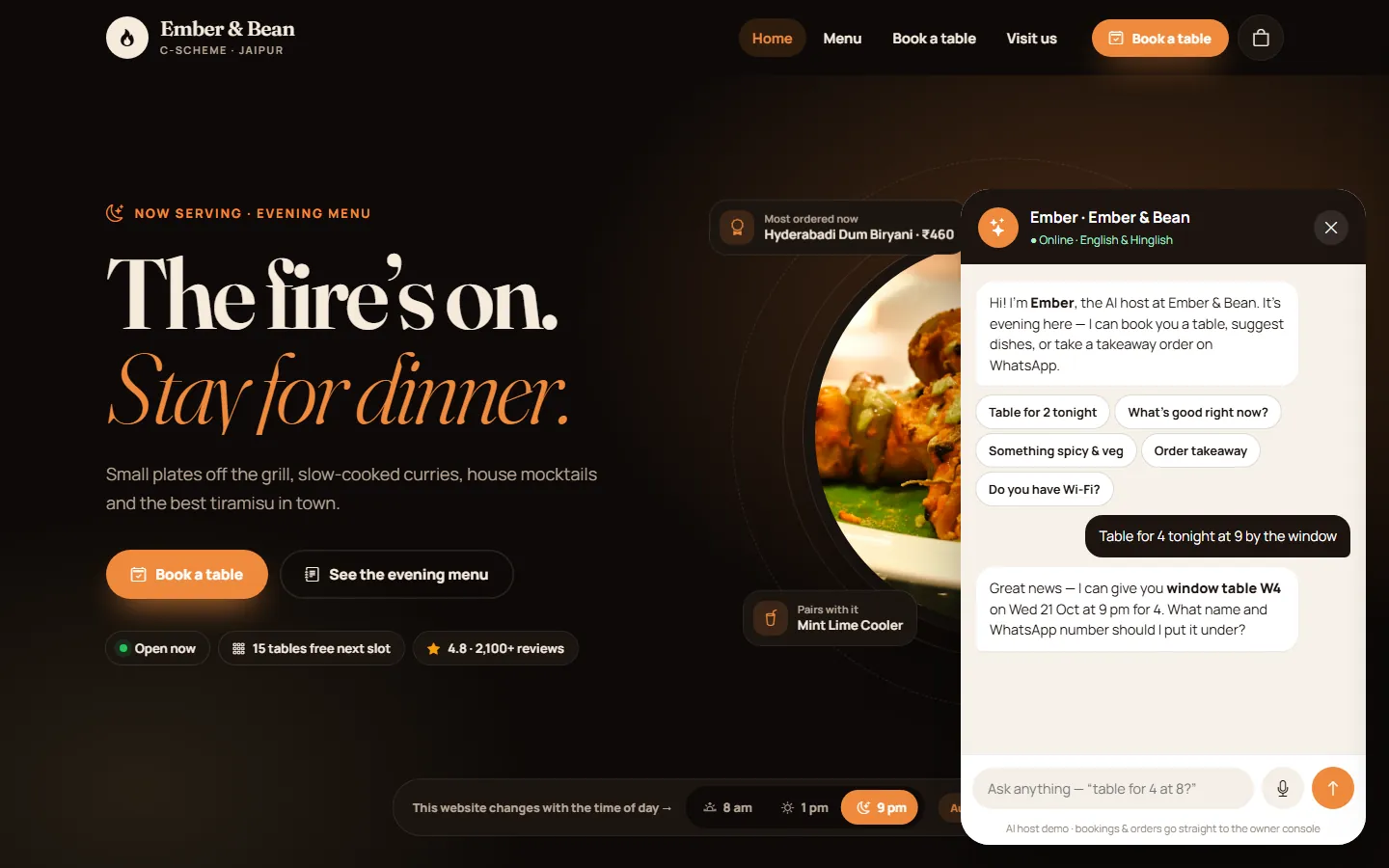 DinePilotA café and restaurant product whose AI host takes table bookings on a live floor plan and routes takeaway orders to WhatsApp, in English and Hinglish. The same conversation design we use for WhatsApp booking bots.Open →
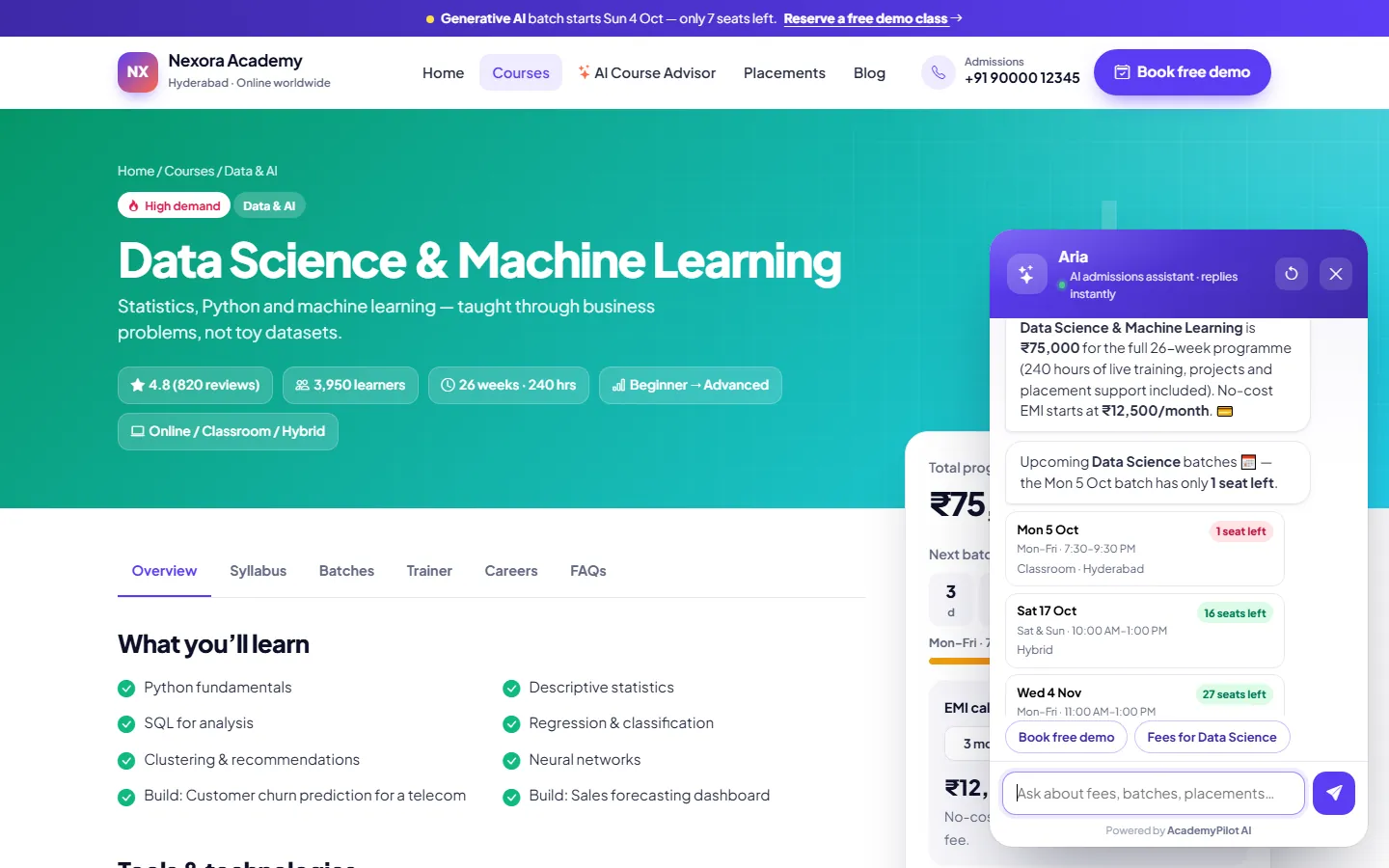 AcademyPilotAn AI admissions chatbot and course advisor that qualify enquiries and feed a lead CRM with AI scoring. This is the lead-capture pattern we connect to WhatsApp for institutes and service businesses.Open →
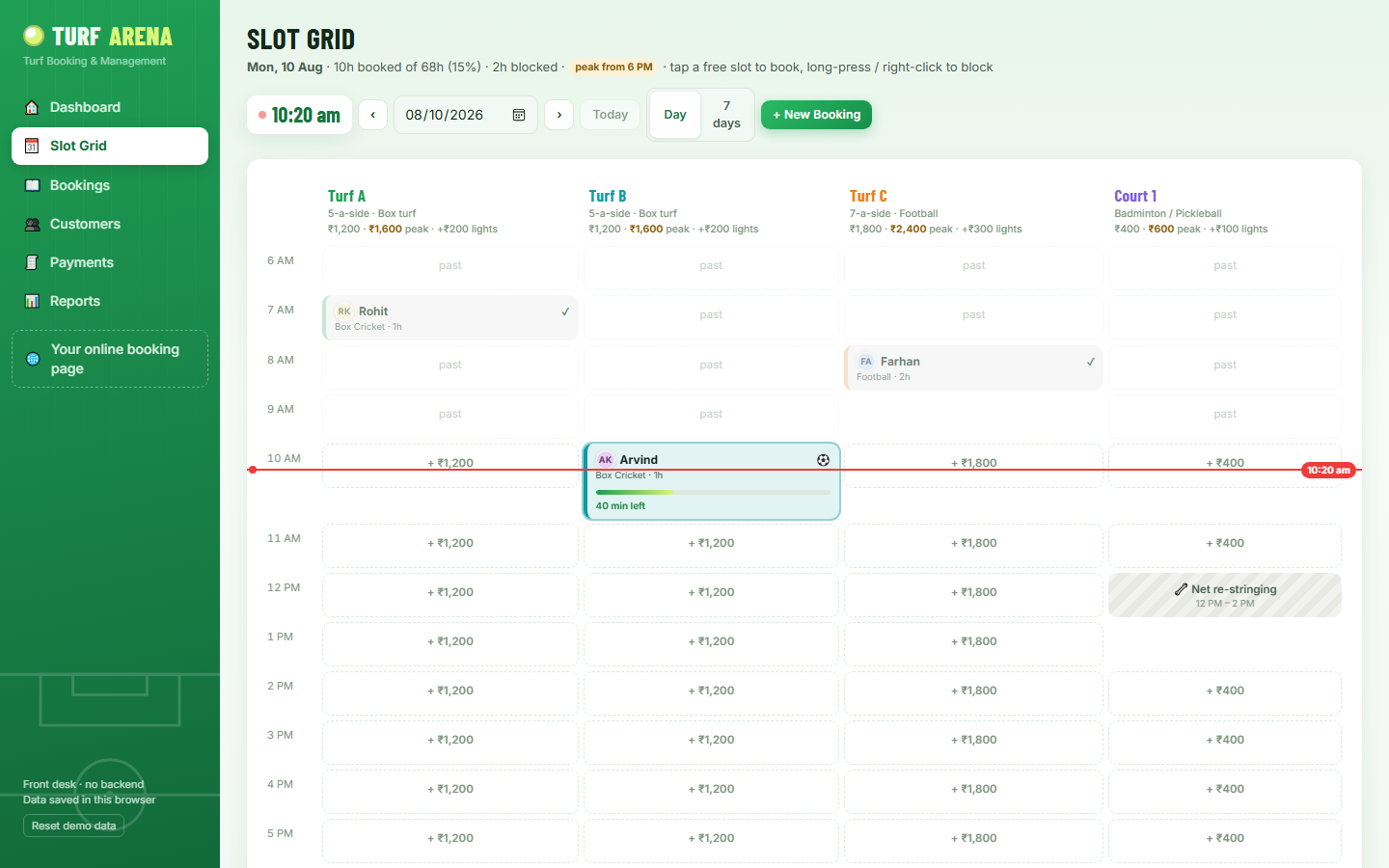 TurfArenaA slot-booking CRM for sports turfs. Its availability and booking engine is exactly the kind of back end a WhatsApp booking bot needs to check and confirm slots in real time.Open →
Our stack for this work
What drives WhatsApp chatbot development cost
Build cost and Meta’s messaging fees are separate. We quote the build as a fixed price from your scope and estimate messaging spend from your expected volumes. These are the main build cost drivers.
A single FAQ and lead-capture flow is quick. Each additional journey, such as bookings, payments, order tracking, returns or feedback, adds design, build and testing work.
Button-driven flows are simpler. Free-text understanding in several languages, grounded answers from your documents and smart routing add AI engineering and evaluation.
Connecting a CRM, booking system, store or ERP with clean APIs is straightforward; legacy systems without APIs need extra integration work.
Razorpay links, UPI, refunds, partial payments and reconciliation with your accounting each add logic and testing.
Using an existing shared inbox is lighter than building a custom agent console with assignment, notes and reporting.
Meta charges per template message by category and country, and providers may add platform fees. Hosting and AI model usage scale with conversation volume.
Whatsapp chatbot development: questions people ask
Do I need the official WhatsApp Business API, and how do I get it?
Yes, for any serious automation. The official API is the only approved way to run chatbots on WhatsApp at scale; unofficial tools risk a ban. You get access through Meta’s Cloud API directly or through a Business Solution Provider, after creating a Meta business portfolio, verifying your business and registering a phone number. We handle the setup with you.
What does WhatsApp messaging cost per conversation in India?
Meta sets WhatsApp prices and revises them periodically, so always check its current rate card. At the time of writing, Meta charges per delivered template message, priced by category (marketing, utility, authentication) and the recipient’s country, while replies inside the customer service window are free. Providers may add platform fees; we estimate your monthly spend from expected volume.
Can the WhatsApp chatbot take bookings and Razorpay payments?
Yes. The bot checks live availability, lets customers choose a slot with buttons or free text, and confirms the booking idempotently. For deposits or orders it sends a Razorpay payment link or UPI request; a webhook confirms payment, updates the booking and sends a receipt in the chat. Reminders and reschedules happen in the same thread.
Can my team take over a chat from the bot?
Yes. When a customer asks for a person, gets frustrated, or the bot is not confident, the conversation moves to a shared inbox with a summary of what happened so far. Your staff reply from the inbox on desktop or mobile, the bot pauses for that chat, and control returns to the bot when the agent closes the conversation.
Does it integrate with our CRM or Shopify store?
Yes. We integrate with HubSpot, Zoho, Salesforce, Shopify, WooCommerce and custom systems that offer an API or webhooks. Contacts, conversations, lead stages and order events sync both ways, so your team sees WhatsApp activity alongside other customer history and order updates are sent automatically.
How long does WhatsApp chatbot development take to go live?
A focused bot with one or two journeys typically fits within our standard 2–8 week project window. Business verification and template approval depend on Meta’s review, so we start those on day one. Multi-journey bots with payments, several integrations and a custom agent inbox take longer, and we agree milestones up front.
What are the opt-in and template message rules?
Before you message a customer first, you need their opt-in to receive WhatsApp messages from your business, collected for example on a website form, at checkout or in a chat. Business-initiated messages outside the customer service window must use templates approved by Meta in the correct category. Customers must be able to opt out, and poor-quality templates can be paused.
Is it allowed to run an AI chatbot on WhatsApp?
Yes, for business use cases such as support, bookings, orders and lead qualification. Meta’s terms restrict general-purpose AI assistants whose main purpose is open-ended chat, but bots that serve your own customers about your own products and services are what the platform is built for. We design every AI WhatsApp chatbot to stay within that scope.
Tell us what your customers message you about
WhatsApp or call +91 63774 18934, or email team@ezibelltech.com. Share your most common customer messages and the systems you use for bookings, orders or leads. We will suggest the journeys to automate first and send a fixed quote.