CA Practice Management Software That Runs Offline
LedgerPilot is CA practice management software that keeps client data on your own computer: a clients × returns compliance tracker, jobs and staff, DSC, UDIN and tax-audit registers, notices, GST billing and an encrypted vault, with no internet connection. Open the app demo or see the LedgerPilot overview.
Updated- Team in Jaipur, India
- MSME & GST registered
- Live product demos you can try
Most CA practice management software asks for the one thing many chartered accountants will not give: their clients’ PANs, bank details, financials and portal passwords in a vendor’s cloud. LedgerPilot takes the opposite route. The practice app runs on your laptop or office PC, keeps everything in one encrypted file on your disk and makes no internet calls at all — no telemetry, no auto-update. You can check that yourself: open the app demo, press F12 and watch the Network tab stay quiet while you work.
The core is a compliance matrix of clients × returns: GST, TDS, ITR, advance tax, ROC and payroll filings, each with a due date, status, assignee and ARN. Due dates and extensions arrive as a signed compliance pack you import, so the calendar stays current without a live connection. Every form and date carries its law version, so work under the Income-tax Act, 1961 and the Income-tax Act, 2025 sits side by side. Around it sit jobs and staff, documents, notices, billing and the registers a practice keeps.
LedgerPilot is built by Ezibell Tech, an MSME and GST-registered software company in Jaipur. We are not a CA firm and do not give tax or professional advice; we build and set up the software, and the judgement stays with you. The product is a desktop application for Windows and macOS, and the first version runs on a single machine. An optional practice website designed around ICAI’s website guidelines is described on the LedgerPilot product page.
What the CA practice management software includes
Compliance tracker
One matrix of clients × returns for GST, TDS, ITR, advance tax, ROC and payroll filings, with status, assignee, ARN and acknowledgement against each item. Bulk-update a return for every client at once, and see what is due this week or overdue on the dashboard.
Signed compliance packs
Due dates and extensions arrive as a signed file that you import from a USB drive or an email attachment, and the app checks the signature before applying it. Your calendar stays current without the app ever connecting to the internet.
Jobs, staff and partner sign-off
A kanban of jobs per client, staff workload, time sheets and partner sign-off, so you can see who is working on which return, what is waiting for review and which jobs are stuck on data the client has not sent.
DSC register
Every digital signature certificate with its holder, class, expiry and custody: who has the token, when it left the office and when it came back. Expiry filters at seven, thirty and sixty days, with a renewal reminder drafted for the client.
UDIN and tax-audit registers
A UDIN register that tracks the days since signing against the 60-day window and shows when a UDIN can no longer be revoked, and a tax-audit register with a meter against the limit of 60 audits per CA, with exclusions recorded with a reason.
Notice tracker
Income-tax and GST notices logged against the client with response due dates, countdowns, hearing dates and your response notes, so nothing important waits on a sheet of paper in someone’s drawer during the busiest weeks of filing season.
GST billing and receivables
GST invoices for professional services under SAC 9982, receipts, receivables ageing with reminder drafts, and time sheets that show where the hours went for each client, so fees can be discussed with facts rather than memory.
Encrypted vault and audit log
Portal credentials in a vault with a second lock: masked by default, re-locked after use, and every reveal logged. A hash-chained audit log records each change, and encrypted backups go to a drive you choose.
Offline or cloud practice software: the trade-offs, honestly
Offline software gives up some convenience in return for control. With LedgerPilot there is no vendor server holding your client list, no online account to be breached on someone else’s infrastructure, and no dependence on a vendor’s servers being up during filing season. What you give up is just as clear: no live portal connections, no access from your phone on the road and, in the first version, one machine rather than the whole office network.
Those limits are deliberate. Live connections to the income-tax, GST or MCA portals would break the offline promise, so LedgerPilot imports the files you download from the portals and prepares what you upload, keeping ARNs and acknowledgements against each client. Messages to clients are drafted for you to copy, email or save as an .eml file; the app never sends anything by itself.
Backups become your job, and the app makes that simple: an encrypted backup to a drive you choose, with an optional separate backup password. The installed app encrypts its database with AES-256 using a key derived from your master password, and locks itself when you step away. The browser demo simulates this with sample data so you can see the screens without installing anything.
- Choose offline if client confidentiality is your first concern
- Choose offline if your connection is unreliable in filing season
- Choose a cloud tool if staff must work from many locations today
- Choose a cloud tool if clients must upload documents to a portal
Two Income-tax Acts in one filing season
The Income-tax Act, 2025 applies from 1 April 2026 and changes many form numbers, while returns and assessments for earlier years still run under the 1961 Act. For a practice this means two vocabularies at once: staff finishing FY 2025-26 work use the old forms while new-Act items begin to appear. Mixing them up in a tracker or a client reminder is an easy mistake to make in a busy month.
LedgerPilot labels every form and due date with its law version, for example “Form 140 (old 26Q)”, and the compliance tracker can be filtered by law. When a date changes or is extended, the update arrives in the next signed compliance pack, and the app shows what changed. The app tracks dates and status; deciding what applies to which client remains your professional call.
The registers a practice keeps, without the notebooks
Beyond returns, a CA practice keeps registers that are easy to let slide in season: DSC custody, UDINs for certificates and reports signed, and tax audits accepted under section 44AB against ICAI’s limit per member. These usually live in notebooks or spreadsheets. LedgerPilot turns each into a screen with alerts: DSCs nearing expiry, UDINs approaching the 60-day window from signing, and a meter that counts tax audits towards the limit, with exclusions recorded with a reason.
The app keeps the record; it does not replace the ICAI UDIN portal, ICAI’s guidance or your judgement. Where a window has passed, the app points you to follow ICAI’s guidance rather than suggesting a workaround. The optional practice website follows the same discipline: it is designed around ICAI’s website guidelines, with the firm name in plain text and no fees, testimonials or pop-ups, and you review every page before it goes live.
How we work
- 1Demo call
We walk through the app demo and the website demo with you, then note your services, staff, invoice series and how you keep registers today. No client data is needed for this.
- 2Import your practice
Clients and their services are imported from Excel, with staff and roles, the invoice series and your existing DSC and UDIN registers. The import runs on your machine.
- 3Install on your machine
The app is installed on your laptop or office PC. The master password, auto-lock and backup drive are set up with you, and we do not keep a copy of your data.
- 4Practice website, if you want it
Firm facts as registered with ICAI, services, articles and office hours. You review every page before launch, and a built-in copy check flags banned words.
- 5Go live
The first signed compliance pack for the season is imported, and the website, if any, goes live on your domain. Set-up usually takes about four to six weeks.
- 6Through the season
Compliance packs arrive as signed files as dates change. App updates are installed by you, never pushed, and we stay on for questions and fixes.
Why teams choose us
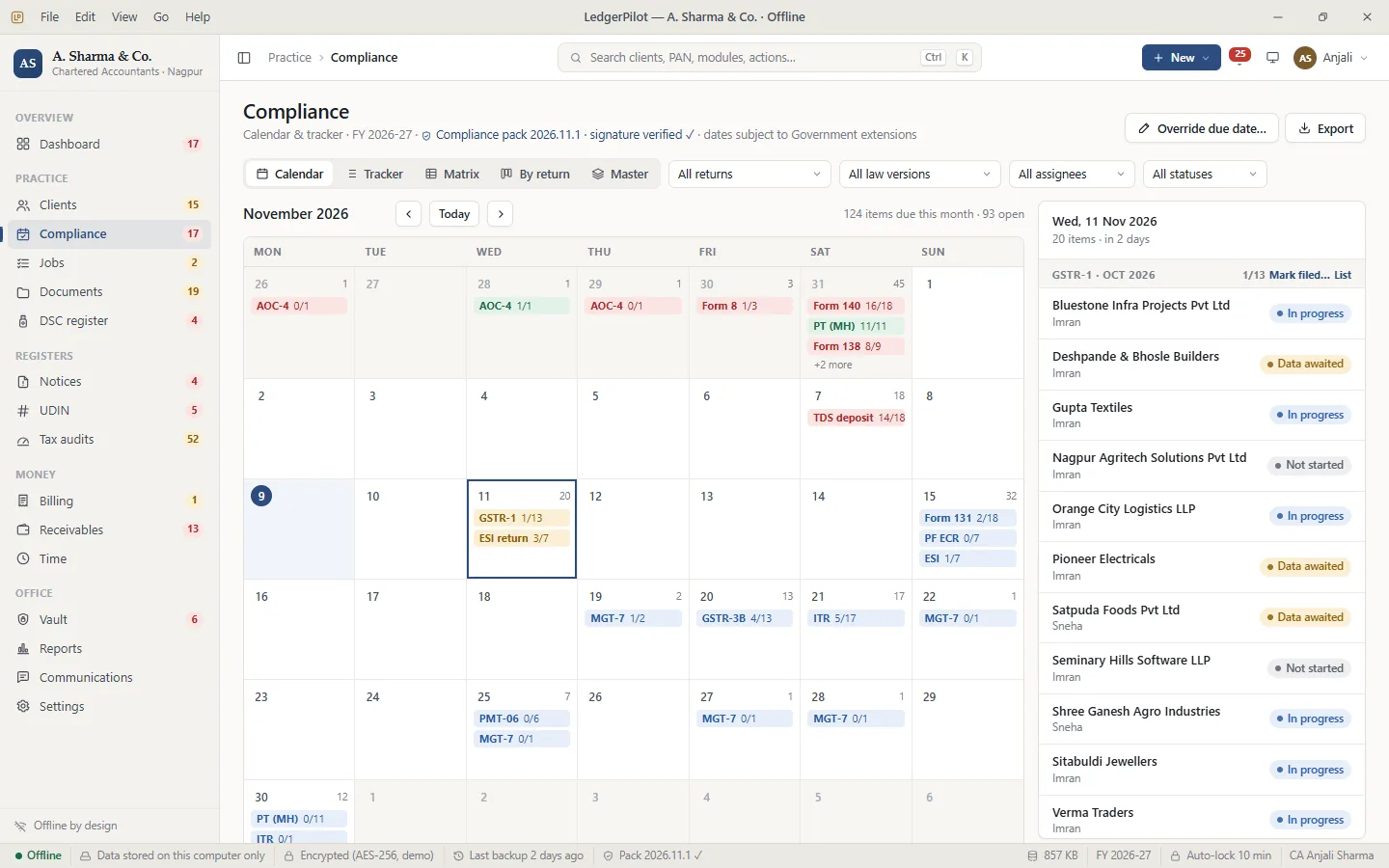 LedgerPilot app demoThe practice app with sample data: compliance matrix, DSC and UDIN registers, tax-audit meter, notices, billing and the vault. Open the Network tab and watch it stay quiet.Open →
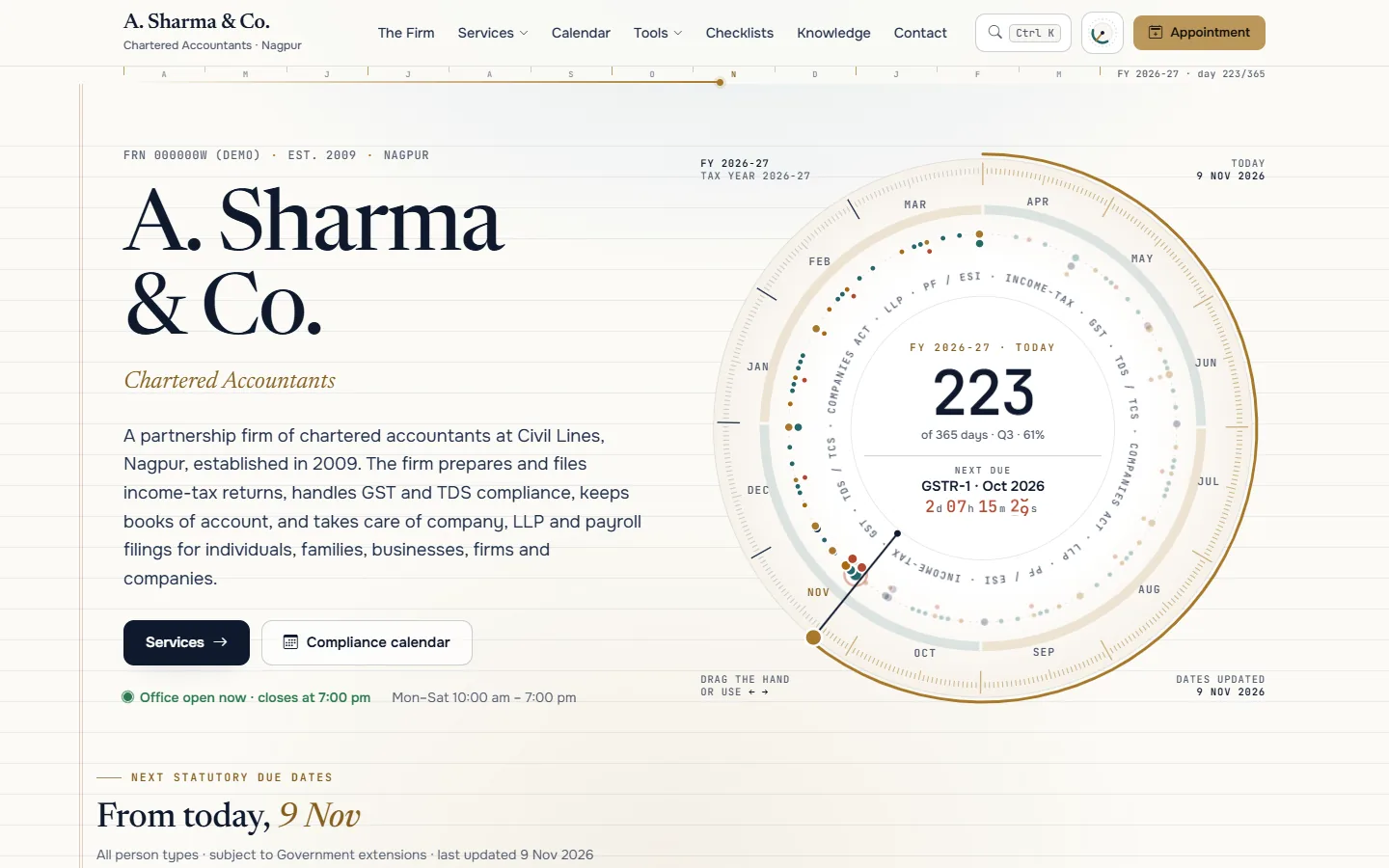 LedgerPilot practice website demoA practice website designed around ICAI’s guidelines: a live due-date clock, tax tools, document checklists and a knowledge centre, with no fees, testimonials or pop-ups.Open →
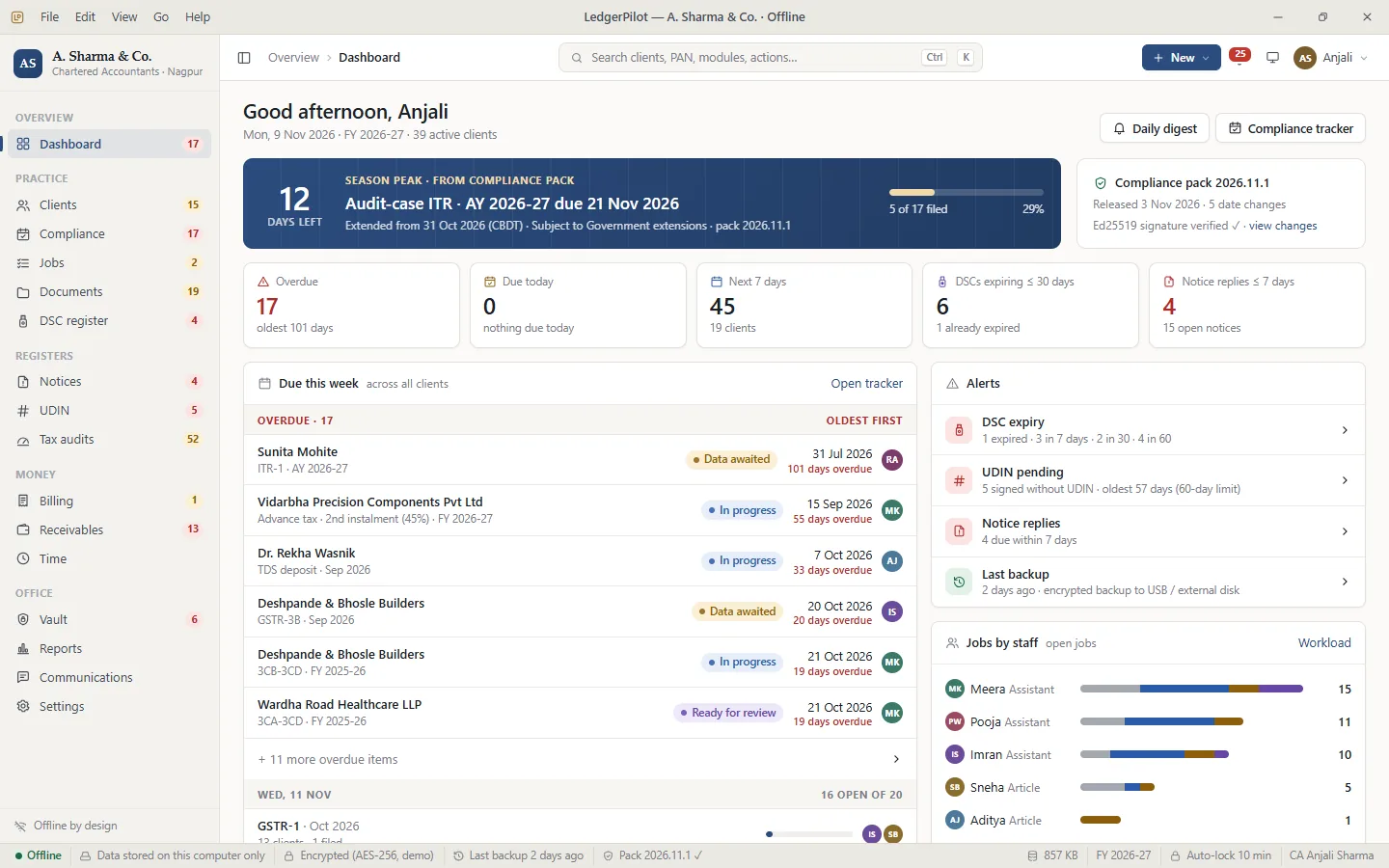 LedgerPilot: software for chartered accountantsThe full product page: what offline means in practice, everything in the app and the website, the rollout plan and the questions CAs ask us.Open →
Our stack for this work
What affects the cost of CA practice management software
A sole practitioner and a multi-partner firm need different set-ups, so there is no honest flat price. These factors move the quote; share your practice details and we send a fixed price after a free consultation.
The first version runs on a single machine. Multi-user use over your office network, with roles for partners, staff and articles, is planned for the next phase.
Some practices need the compliance tracker and registers only; others want billing, receivables, time sheets and the vault as well.
A clean Excel list of clients and services imports quickly. Registers spread across notebooks and several spreadsheets take longer to bring together.
The website is optional. If you take it, the content is written around your firm facts and reviewed by you before launch.
Signed compliance packs and help during filing season are quoted as ongoing support, separate from the set-up.
CA practice management software: questions people ask
What is CA practice management software?
CA practice management software tracks a firm’s clients, returns, due dates, jobs, staff, registers and billing in one place. LedgerPilot does this offline: the app runs on your own computer, stores data in an encrypted local file and makes no internet connections, so client data never sits on a vendor’s server.
Does LedgerPilot send client data to the internet?
No. The practice app runs on your own computer, stores its data in an encrypted local file and makes no internet connections. Due-date updates arrive as a signed file you import, backups go to a drive you choose, and messages to clients are drafted for you to send yourself.
Can it file returns on the income-tax or GST portal?
No, and that is deliberate: live portal connections would break the offline promise. LedgerPilot imports the files you download from the portals, prepares what you upload, and keeps the ARNs and acknowledgements against each client in the compliance tracker. Filing itself stays on the portals, done by you.
Can my staff use it on the office network?
The first version runs on a single machine. Multi-user use over your office network, with roles for partners, staff and articles, is planned for the next phase. If several people need access from day one, tell us on the demo call so we can plan around it.
Does it handle the Income-tax Act, 2025?
Yes. Every form and due date carries its law version, so FY 2025-26 work under the old Act and items under the new Act show side by side, for example “Form 140 (old 26Q)”. Changes and extensions arrive in signed compliance packs that you import.
Does LedgerPilot generate UDINs?
No. UDINs are generated on ICAI’s UDIN portal. LedgerPilot keeps the register: the document, the date of signing, the days left in the 60-day window and the revoke status, so you can see at a glance which certificates and reports still need a UDIN.
Is the practice website ICAI-compliant?
It is designed around the ICAI Code of Ethics website guidelines: firm name in plain text, no fees, testimonials or claims, no pop-ups, and audit and certification services only on their own page. You review the final content before it goes live, and compliance remains your responsibility as a member.
Does it run on Windows or Mac?
Both. LedgerPilot is a desktop application for Windows and macOS. The demo on our website shows the same screens in a browser with sample data, so you can try it without installing anything or entering any real client information. We install the app with you during set-up.
How much does CA practice management software like LedgerPilot cost?
It depends on the number of users and the modules you need, plus the practice website if you want one. Tell us about your practice on WhatsApp and we send a fixed quote after a free consultation. There are no prices on this page because every firm’s set-up is different.
Keep client data at home, and every due date in view
WhatsApp +91 63774 18934 or email team@ezibelltech.com. We’ll walk you through the app demo and send a fixed quote. No client data is needed for the demo.