Your clients’ data never leaves your laptop. Your practice still runs like clockwork.
LedgerPilot is an offline practice app for CAs: clients and KYC, every client’s GST, TDS, ITR and ROC due dates, jobs and staff, DSC, notices, UDIN and tax-audit registers, GST billing and an encrypted vault, stored only on your own computer with no internet connection at all. Alongside it, a practice website built around ICAI’s website guidelines that clients find genuinely useful: a live due-date clock, tax calculators and document checklists.
- Works with no internet connection
- Encrypted on your disk, backed up to your drive
- Old and new Income-tax Act, side by side
 ▶ Open live demo
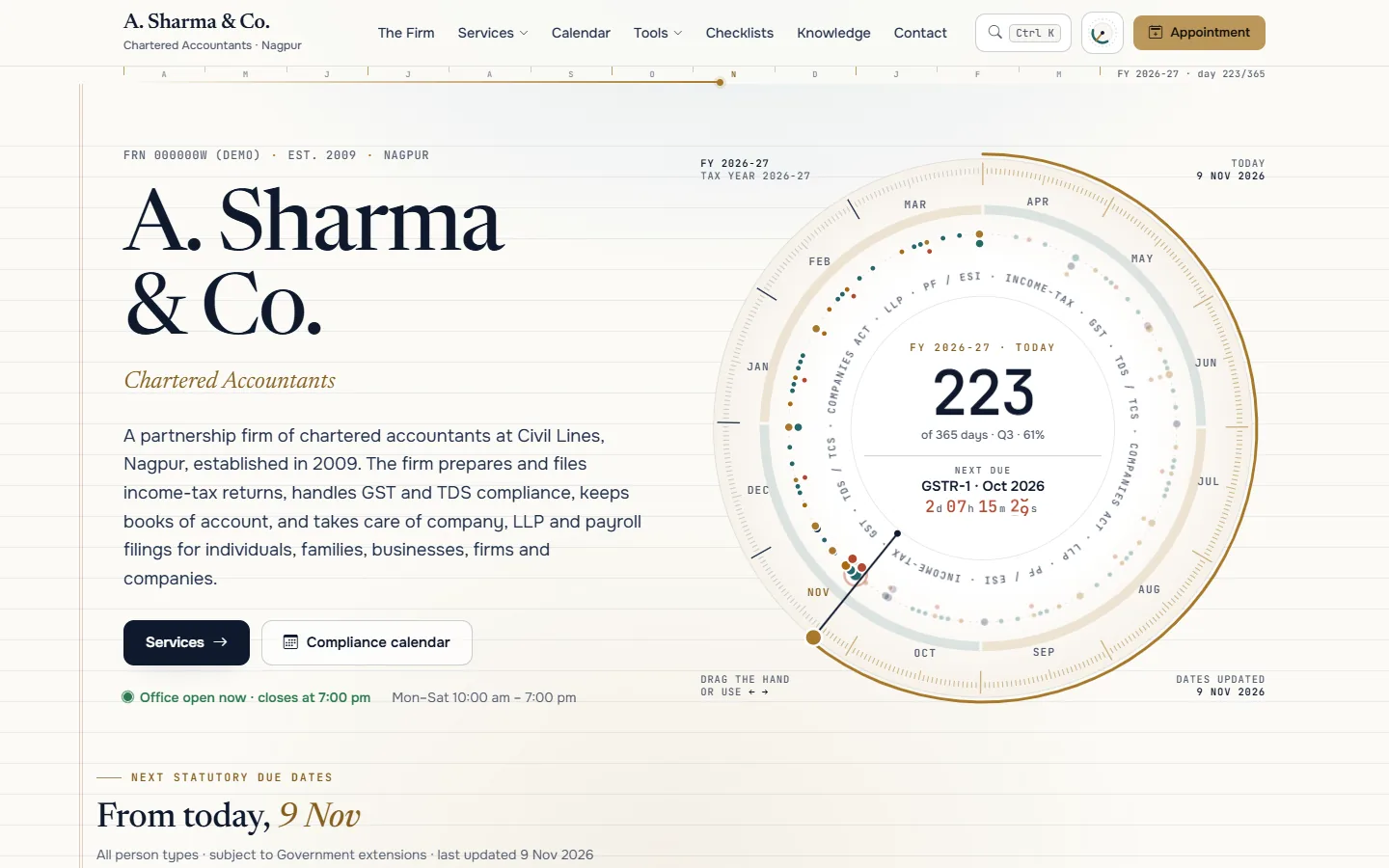
The practice website: a live fiscal-year clock counting down to the next due dates, within ICAI’s website rules.
Most practice tools want your clients’ data in their cloud.
Many CAs simply won’t do that.
Six things we heard about running a small practice, and what LedgerPilot does about each.
“I can’t put client data online.”
PANs, bank details and portal passwords on someone else’s server is a risk CAs don’t want.
Due dates in many places.
GST, TDS, ITR, advance tax and ROC for dozens of clients, with extensions every season.
A new Income-tax Act.
From 1 April 2026 most form numbers changed, while last year’s work still uses the old ones.
Registers in notebooks.
DSC custody, UDINs and tax audits are tracked by hand.
Notices slip.
Response dates for income-tax and GST notices live on paper.
Websites that break ICAI rules.
Template sites come with testimonials, logos and “why choose us”.
What “offline” means in LedgerPilot. Checkable, not just promised.
Open the app demo, press F12 and watch the Network tab: it loads nothing from the internet.
Same clients. A calmer filing season.
A website for clients, an app for the office. Every screen below is live.
Real screens from the demo. The two never share data: the website holds no client information at all.
Impressive by being useful, not by making claims.
- Firm name in plain textNo logo, monogram or slogan
- No fees or testimonialsNo ratings, client logos or “why choose us”
- No pop-ups or chat bubblesVisitors ask; the site never pushes
- Audit services on requestTheir own page, reached from the Services menu
- Links to ICAI and Government onlyPlus the firm’s own pages
- Built-in copy checkFlags banned words before a page goes live
A practice website and an offline office. Twenty-four pieces.
Offline practice app
Practice website
Type your firm’s name. Watch the website become yours.
The practice website rebrands instantly with your firm’s name, city and colour.
Set up in about four to six weeks
The app is installed on your machines; the website goes live on your own domain.
Clients and their services imported from Excel, staff and roles, invoice series, DSC and UDIN registers.
Installed on your laptop or office PCs, master password, backup drive and auto-lock set up with you.
Firm facts as registered with ICAI, services, articles and office hours; you review every page before launch.
The website on your domain and the first signed compliance pack for the season.
Questions CAs ask us
Does LedgerPilot send client data to the internet?
No. The practice app runs on your own computer, stores its data in an encrypted local file and makes no internet connections. Due-date updates arrive as a signed file you import, and backups go to a drive you choose.
Can it file returns on the portals?
No, and that is deliberate: live portal connections would break the offline promise. LedgerPilot imports the files you download from the portals and prepares what you upload, and keeps the ARNs and acknowledgements against each client.
Does it handle the new Income-tax Act 2025?
Yes. Every form and due date carries its law version, so FY 2025-26 work under the old Act and items under the new Act show side by side, for example “Form 140 (old 26Q)”.
Can my staff use it on the office network?
The first version runs on a single machine. Multi-user use over your office network, with roles for partners, staff and articles, is planned for the next phase.
Is the website ICAI-compliant?
It is designed around the ICAI Code of Ethics website guidelines: firm name in plain text, no fees, testimonials or claims, no pop-ups, and audit and certification services only on their own page. You review the final content before it goes live.
Is the demo the real app?
The demo shows the app’s screens in a browser with sample data, so you can try it without installing anything. The product is a desktop application for Windows and macOS.
How much does it cost?
It depends on the number of users and the modules you need. Tell us about your practice and we’ll send a clear quote after a free consultation.
Keep your clients’ data at home, and every due date in view.
See LedgerPilot with your firm’s name on it. A 20-minute call is all it takes.
Or open the live demo first